
XCOCKPIT
XCockpit is mission planning and execution software exclusively for Xmobots aircraft.
Practical and intuitive: for planning in the field or in the office
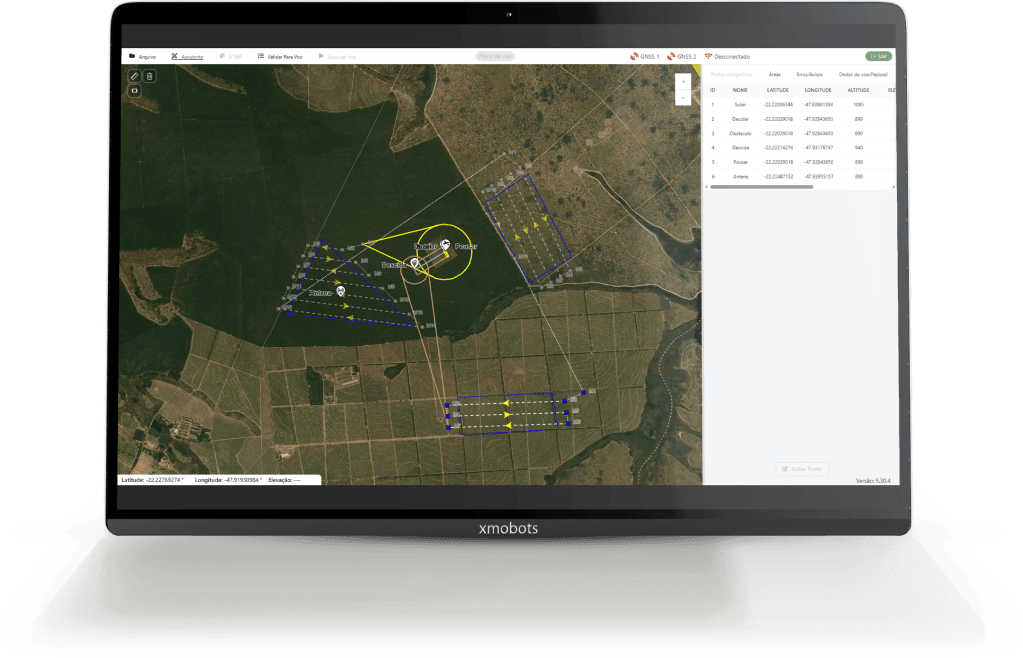
The platform consists of a geographic information system (GIS) in which the user specifies the type of mission, aircraft model, camera used, type of operation, and area of interest. Based on this information, the system performs the necessary calculations and creates flight plans for the drone to carry out the missions.

Intelligent flight
One of its great differentials is the "multipolygon" function, in which, in the same flight plan, the pilot can fly over different areas in a practical and intelligent way.
Agility in missions
With a friendly and intuitive interface, as well as pre-configured options for most applications, the software has been developed so that the user can create missions in the field or in the office, with the speed and agility that is increasingly required in day-to-day work.
Quick and safe missions in just 5 steps:
01.
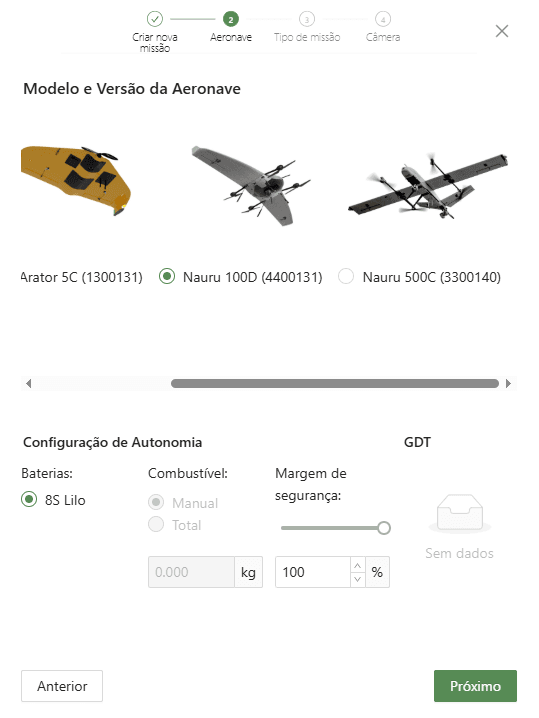
Which drone do you operate?
Each Xmobots drone has its own specifications for autonomy, range, and payload. That is why, when planning the flight, XCockpit asks the pilot to indicate which aircraft and version they are using in the operation, so that the mission can be optimized according to the drone's characteristics.
02.
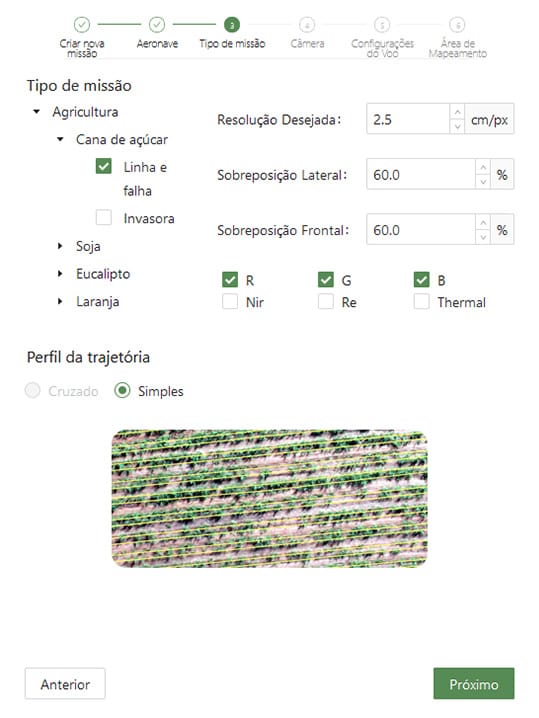
Planning oriented toward the final product
Anyone who has been involved in the world of drones knows how important it is to plan a flight with the right parameters. Errors in the GSD (Ground Sample Distance), the overlap and the sensor can completely invalidate a job, causing major damage to the operation. The more experienced the pilot, the lower the chances of these mistakes happening. But what about those new to the technology?
To assist this ever-growing audience, the system's first step in the "Assistant" menu is "Mission Type," a feature that provides predefined flight patterns for different applications. This gives users the option to manually enter these parameters (choose GSD and overlap) or opt for the flight settings predetermined in the software. A simple and practical way to always get the best product.
Applications with predefined flight parameters:
Agriculture
Sugarcane - line and fault
Agriculture
Soybeans - Nutritional deficiency
Forestry
Counting trees
Livestock
Cattle - Counting individuals
Topography
Planialtimetric survey
03.
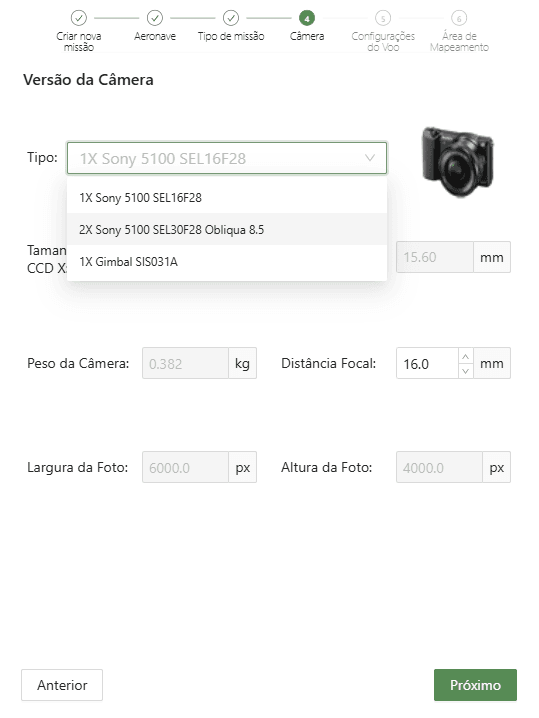
Choose your camera
Will you be performing RGB or multispectral flights? As these are different mission parameters, choosing the right camera allows you to make the correct calculations for each type of sensor. This way, the pilot always gets it right, generating quality products that can meet customer expectations.
04.
Will you be flying VLOS, EVLOS or BVLOS?
Xmobots is the only company in Brazil with drones authorized by ANAC to fly above 400ft. Using the airspace requires responsibility and seriousness, always respecting ANAC and DECEA regulations. That's why Step 4 of the Wizard menu is precisely the choice of the Type of Operation that will be carried out:
VLOS (Visual Line of Sight)
EVLOS (Extended Visual Line of Sight)
BVLOS (Beyond Visual Line of Sight)
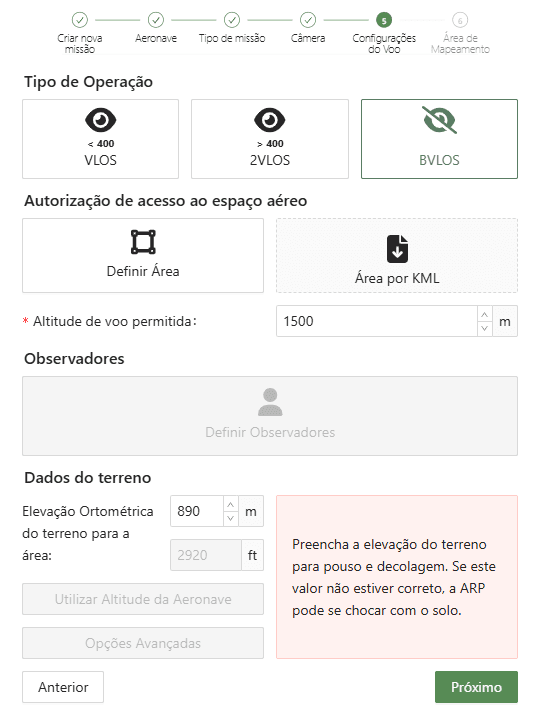
Depending on the type of operation selected, the software creates an external visual buffer zone in yellow, red, and black, from the inside out:
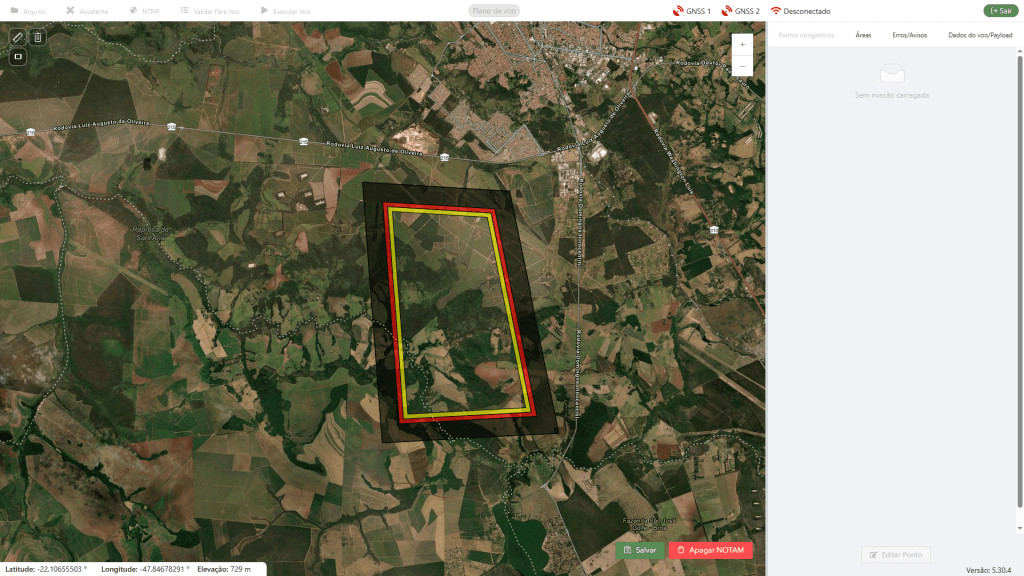
Yellow zone
Activation of the electronic fence violation alert.
Red zone
The electronic fence violation alert causes the drone to automatically recover and return to land.
Black zone
When the drone enters this zone, automatic flight termination recovery is triggered via parachute deployment.
05.
Definition of the mapped area and mapping parameters
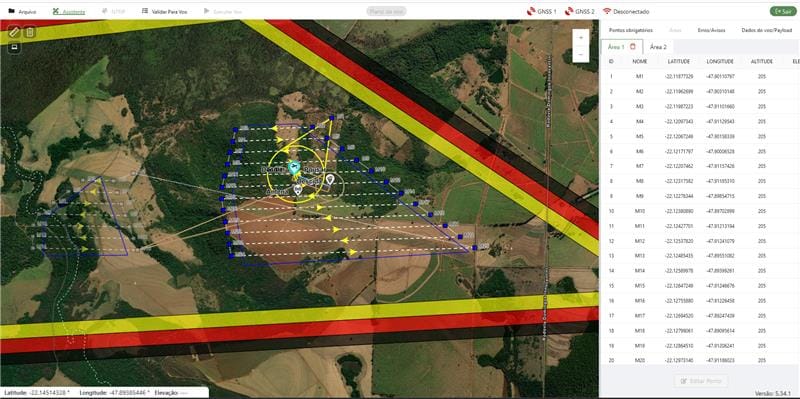
Here, the operator can draw the mapping polygon or upload a ".KML" file, as well as set the angle (cardinal direction of the lines), buffer, flight height, and line spacing (if desired). The pilot can also configure the Terrain Data options, choosing "Follow Elevation" (height relative to the ground), "Average Elevation" (the system defines an average reference elevation for the terrain), and "Manual Elevation."
After inserting the mapping area, the software automatically creates some mandatory waypoints. These are: Ascend, Takeoff, Obstacle, Descent, and Land. Optional (mission) waypoints are created after drawing the grid of a mapping polygon.
Intelligence for security
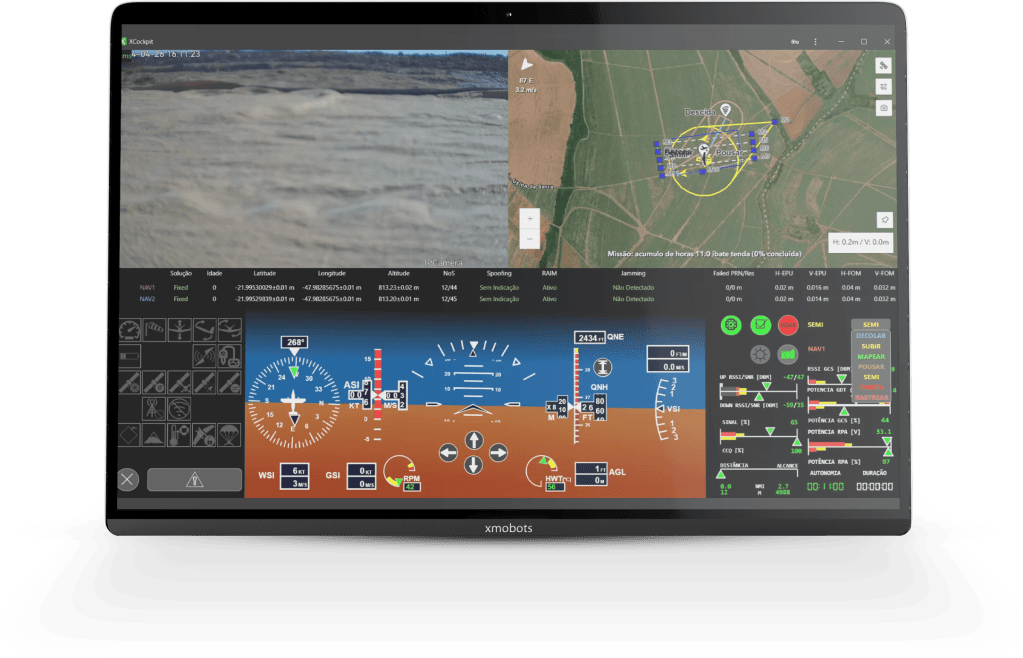
The XCockpit is the human-machine interface for operating the drone. After planning, the mission is sent to the aircraft and the Cockpit is opened, where the flight will be executed. It is divided into two main parts:
Multi Function Display (MFD): moving map-based interface showing aircraft location and heading, trajectory, planned mission, altimetry, radio profile and payload information.
Primary Flight Display (PFD): critical information interface for RPAS flight, including alert group, command buttons, as well as the RPA's altitude, speed, monitoring and guidance groups.

Flight modes
All Xmobots drones are designed to be operated fully automatically, from launch to landing. As its name suggests, the XCockpit has a pilot flight interface, which includes seven flight modes:
Take off
Up
Mapping
Landing
Orbit
Track
Semi
The user can also opt for SEMI mode. In this condition, the operator can guide the drone using altitude and heading change commands. This flight mode can be used, for example, to gain altitude, dodge obstacles or approach areas of interest more quickly.
Digital checklist
When it comes to drone operations, carrying out the flight checklist is a fundamental stage in ensuring the safety of the RPA, the airspace and people. To prevent users from missing important pre-flight phases, XCockpit has a practical and effective digital checklist. And the best part: the drone is only cleared for the mission once all the steps have been completed.
XCockpit also automatically checks the drone's main sensors, making operation safer and more efficient.

Main features
Front camera
For viewing obstacles in the air and on the ground.
Digital checklist
The flight is only released once the step-by-step digital checklist has been completed.
Automatic sensor check
And the flight conditions.
ANAC approved interface
Objective and efficient data reading and flight commands.
100% automatic
Flight without manual intervention by the pilot.
Automatic update (OTA)
It is possible to receive software updates automatically. When an update is available, this screen will be displayed to the user.

(update not required)
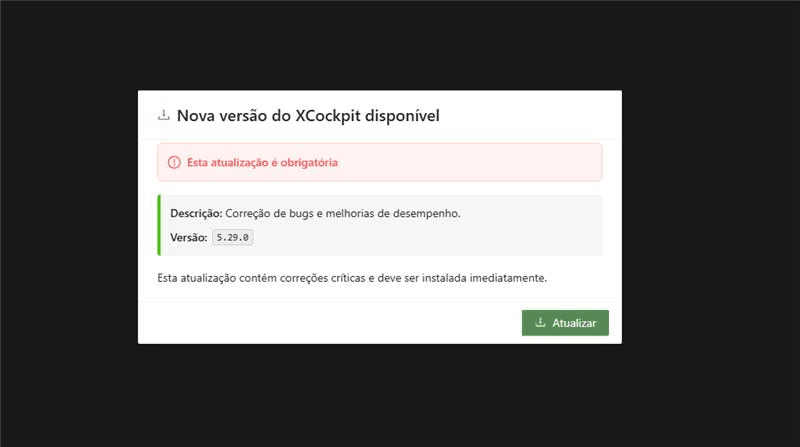
(mandatory update)