XPR
Advanced reports for accurate decisions
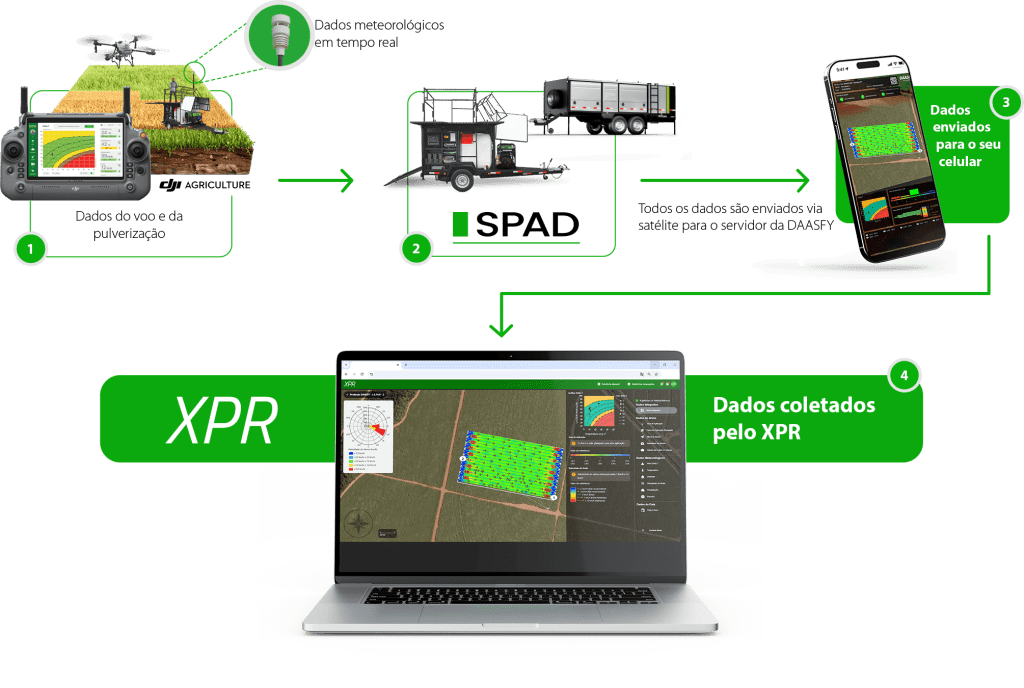
The XPR from Xmobots is software that concentrates and connects all data generated by the aircraft with the information defined in the mission, offering a complete and integrated view of the result. of the operation. It provides detailed and up-to-date reports, allowing access the data and theanalyzethe the results of each flight. This way, the pilot and the contractor have an accurate overview of the mission, facilitating control, analysis, and decision-making in the field.
Benefits for drivers and employers
Full control over the quality of the operation
Transparency between driver/service provider and contractor
Easy comparison between planned and executed
Quick identification of deviations, weather patterns, and opportunities for optimization
Operation information is saved for future reference
Tracking by flight or by entire operation
Reduction in time spent on mandatory reports and documents
Better decision-making in operations
XPR applied to DAASFY
When integrated with DAASFY, XPR automatically cross-references drone spraying data, weather station information, and the platform's own operational records.
This set of consolidated information allows monthly reports to be generated automatically, following the standards required by the Ministry of Agriculture and Livestock (MAPA), ensuring compliance, traceability, and reduced bureaucratic work.
A new perspective on every flight
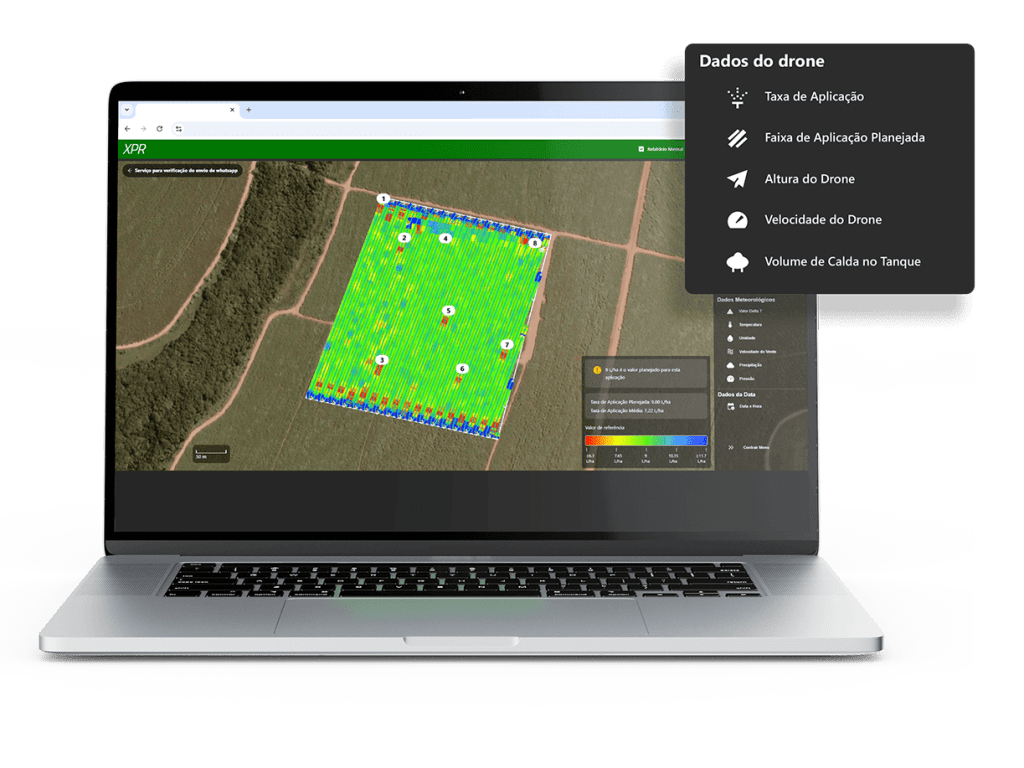
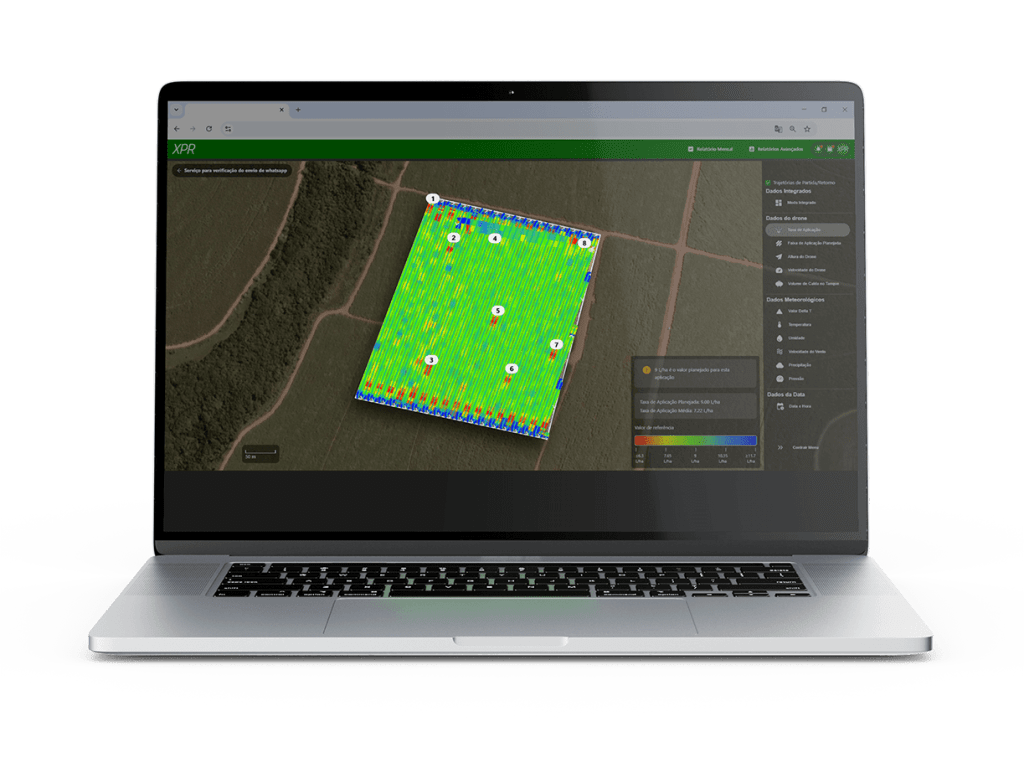
XPR gathers all telemetry captured by the drone, allowing you to monitor the operation with technical and visual precision.
Drone data at your fingertips
Application rate
Planned application range
Drone height
Flight speed
Volume of syrup in the tank
Real-time weather conditions
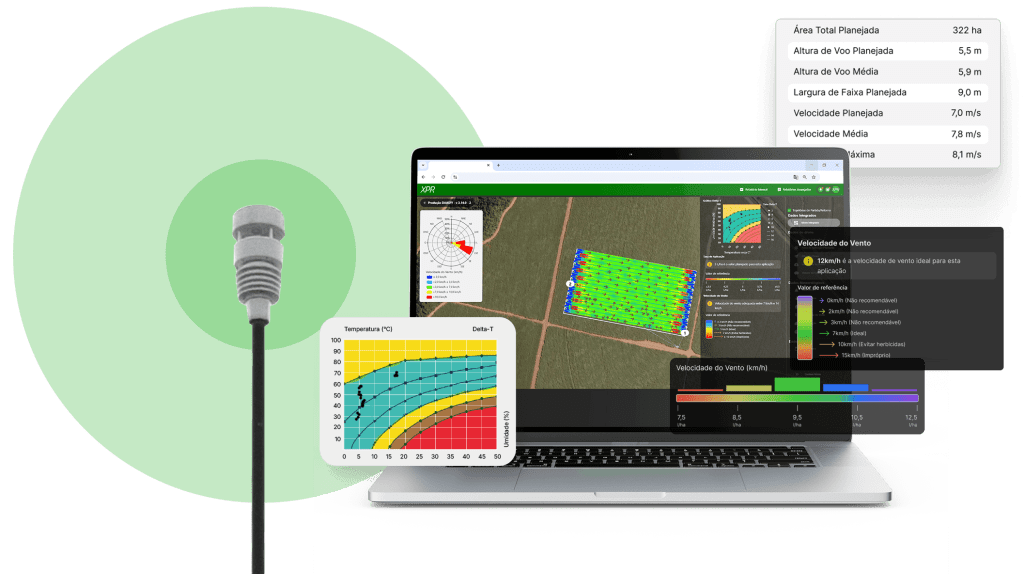
The environment is crucial to spray quality. The XPR records and displays:
Delta T
Temperature
Humidity
Wind speed
Precipitation
Atmospheric pressure
Date and time of each stage

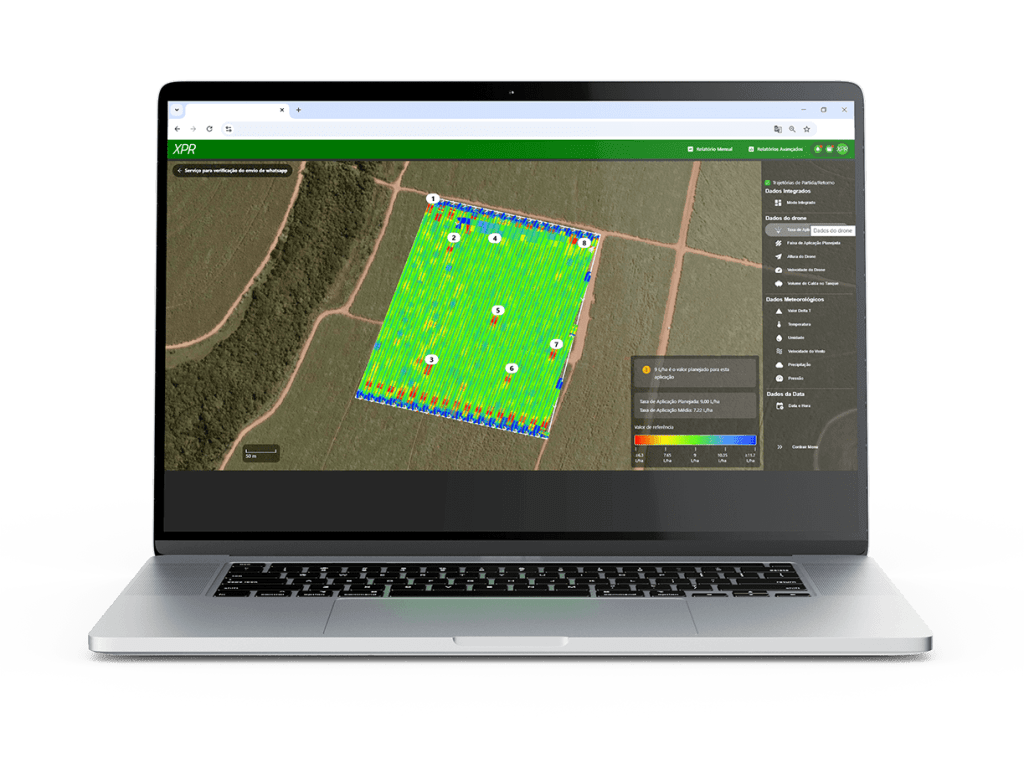
Detailed view of spraying
Everything that happened on the field appears clearly and intuitively:
Start of spraying for each flight
Center line of the trajectory adjusted to Delta T
Colors indicating the application rate
Arrows showing wind direction and speed
Compass rose
Optimal parameters for that spraying
By moving the cursor over any point in the sprayed area, you can view specific information for that moment.
When the drone is turning, white arrows indicate the direction and sense of travel, clearly distinguishing between sections that have been sprayed and those that have not.
Modes that extend the analysis
Application Range
Shows the actual path flown by the drone, allowing you to compare the planned path with the actual path.
- Dotted line: transfer without spraying
- White-edged polygon: planned area
- Map with colors that vary depending on the selected mode

Brazilian technology, created within Xmobots
XPR is 100% developed domestically by Xmobots—from conception to software engineering.
This means continuous evolution and native integration with the brand's entire line of drones and platforms.